

Data sources
Find the right source for your inverter, battery and other devices.
Core concepts
How sources, metrics and dashboard cards fit together.
Inverter dongles and Bluetooth modules
Read an inverter through its Wi-Fi logger stick or its Bluetooth module.
A source is one connection that Epilykos reads from. You add them in Settings → Sources → Add source, or let the setup wizard set up the first ones for you.
Which source do I need?
| Your equipment | Source | Guide |
|---|---|---|
| An inverter with a Wi-Fi logger stick: Solarman V5, LuxPower, Growatt, Felicity | WiFi dongle | Inverter dongles |
| An inverter with a Bluetooth module: LuxPower, Phocos Any-Grid, SRNE and Renogy-style modules | WiFi dongle, with the connection set to Bluetooth | Inverter dongles |
| An inverter or charge controller with an RS-485 (Modbus) port | Modbus (RS485 or TCP) | Modbus |
| An RS-485 inverter or battery behind a Waveshare RS232/485 to WiFi/ETH serial server | Modbus (RS485 or TCP), over TCP | Waveshare RS232/485 to WiFi/ETH |
| A Victron GX device (Cerbo, CCGX, Venus OS) | Modbus (RS485 or TCP), over TCP | Modbus |
| Voltronic, Axpert, Infinisolar, MUST, Sako; Phocos Any-Grid; Victron VE.Direct; SolaX | RS232 serial | RS232 serial |
| A battery with a Bluetooth BMS | Battery management (BMS) | Battery BMS |
| A battery with a wired RS485 / UART BMS port | Wired BMS | Battery BMS |
| Anything that's already in Home Assistant | Home Assistant | Home Assistant |
| Devices that publish to an MQTT broker | MQTT | MQTT |
| Tuya or Smart Life plugs, meters and switches | Tuya | Tuya |
| Anything with a web API that returns JSON | REST API | REST API |
Supported hardware lists every device profile that comes with Epilykos.
Adding a source
Go to Settings → Sources and press Add source. Pick the type and press Continue.
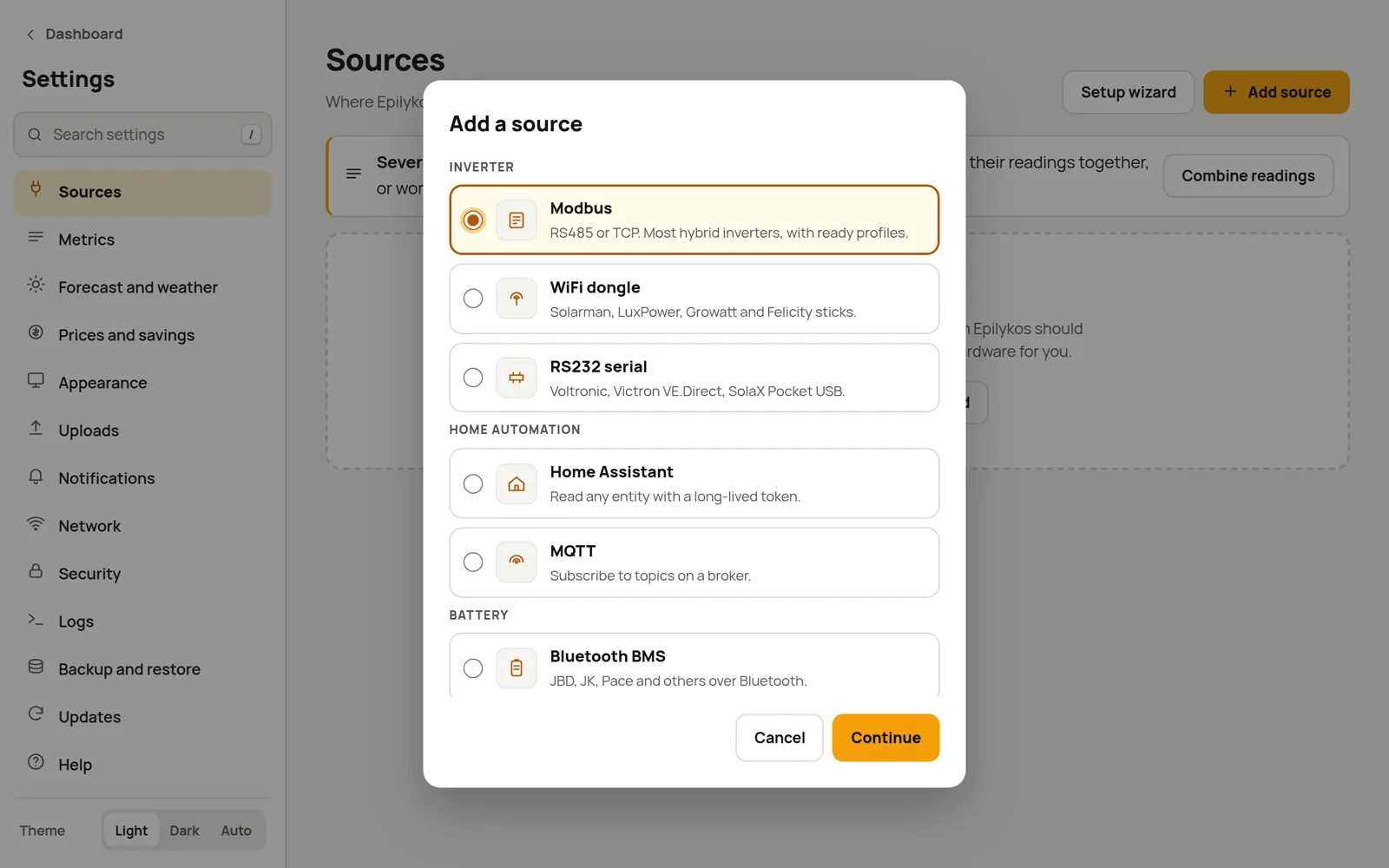
Fill in the connection details. For Modbus, RS232 and WiFi dongle sources, also pick the profile that matches your model.
Choose which readings to keep. Each mapping row is one reading: a metric name on one side, and on the other the register, entity, topic or field it comes from. Profile-based sources can fill these in for you with Load Profile Registers or Load Profile Fields. Keep the suggested names or type your own; see naming conventions.
Press the source's test button (Test Connection, Test Modbus, Test Broker and so on) to make sure it reads, then Save changes in the bar at the bottom.
Most source types can hold more than one device, so you add one card per inverter, dongle or battery pack.
Several inverters or batteries
Add each one as its own source, with its own metric names (dongle sources have a Metric Prefix field to make this easy). Then, in Settings → Metrics → Combined metrics, you can add their readings together or work out energy from power. Battery packs can also be combined into a battery bank.
Bluetooth devices
Bluetooth batteries and inverter Bluetooth modules all share the computer's Bluetooth adapter, which has a few consequences:
- Devices on the same adapter are read one after another. With several of them, allow about 10 seconds per device in their read intervals, for example 60 seconds for six.
- Most devices only accept one Bluetooth connection at a time, so close the manufacturer's phone app while Epilykos is connected.
- On Docker, Bluetooth needs a Linux host and access to the host's D-Bus socket. See Install with Docker.
Last updated on