

Epilykos Wiki
Guides for installing, connecting and running Epilykos, the self-hosted energy dashboard.
Epilykos is a dashboard for your solar system, inverter, batteries and smart home that runs on your own hardware. It talks to your equipment directly, whether that's an inverter's Wi-Fi dongle, a Modbus or RS232 cable, a Bluetooth battery, Home Assistant, MQTT, Tuya or a web API. It keeps the history on your own machine, and shows everything live on a dashboard that anyone at home can open. Settings stay behind an admin password.
You can run it on a Raspberry Pi with EpilykosOS, or with Docker on any system that runs it: Linux, Windows, macOS or a NAS.
Install on a Raspberry Pi
Flash EpilykosOS to a microSD card and finish setup in your browser.
Install with Docker
Run Epilykos with Docker Compose on any system that runs Docker.
Connect your equipment
Find the right source for your inverter, battery and other devices.
Build your dashboard
Arrange cards into dashboards for your computer, your phone or a wall display.
Settings
Every settings page explained, from metrics to backups and updates.
Troubleshooting
Fixes for the problems people run into most.
Features
Reads your equipment directly
Epilykos connects to inverter Wi-Fi dongles (Solarman V5, LuxPower, Growatt, Felicity), to Modbus over RS-485 or the network, to RS232 inverters (Voltronic, Victron VE.Direct, SolaX, Phocos), and to battery BMSes over Bluetooth or a cable. It can also pull readings from Home Assistant, MQTT, Tuya devices on your network, and any web API that returns JSON. Supported hardware has the full list.
A live dashboard anyone can open
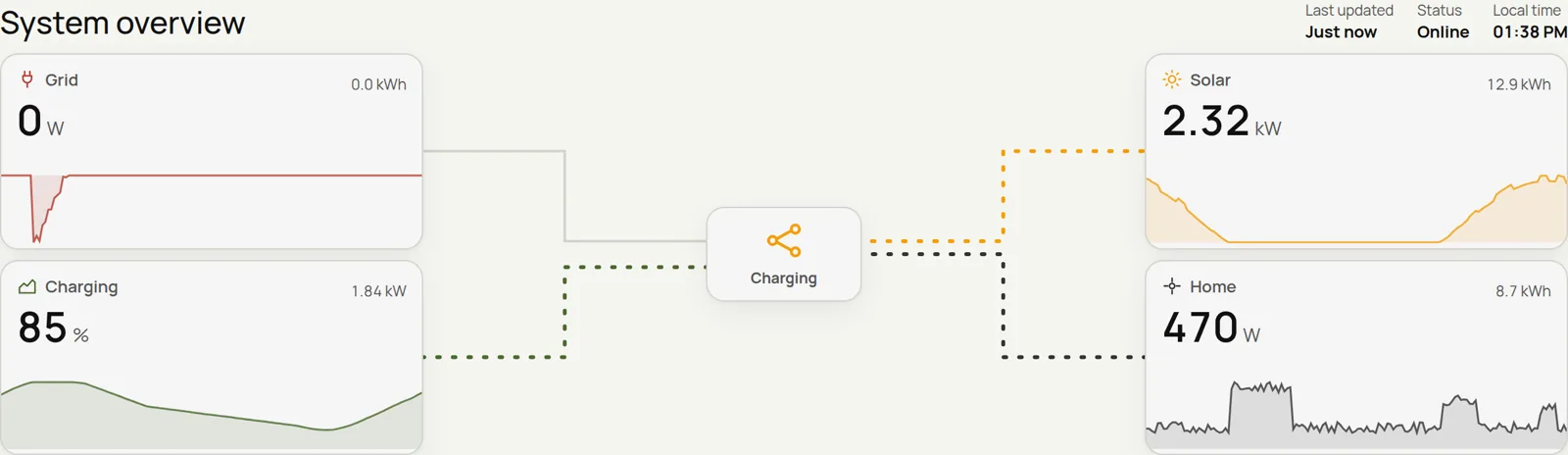
Choose from more than 20 kinds of card, from animated energy flows to charts, tables, gauges and forecasts, all refreshing every 30 seconds. You can build several dashboards and pick which one opens on a computer and which on a phone. Nobody needs to sign in just to look.
Device controls with safety checks
Supported inverters and batteries can have their settings changed from the Controls page. Every change is checked against the setting's allowed range, read back from the device to confirm it took, and written to a change log.
Forecasts, prices and savings
See tomorrow's solar forecast from Open-Meteo (free) or Solcast, the weather, what your grid and generator power cost, how much wear you're putting on the battery, and how much your solar has saved you. Epilykos can also upload your figures to PVOutput.org.
Alerts where you'll see them
Get push notifications, Telegram messages (the bot even answers /status and /today), Discord posts,
ntfy alerts or webhooks. Be told when a reading crosses a line or the grid goes off, or get a summary
every evening.
Reach it from anywhere
Connect Tailscale or a Cloudflare Tunnel straight from Settings, without forwarding any ports. Install Epilykos on your phone like an app, and it switches between your home and away addresses by itself.
Safe to leave running
Your admin password can have a second step, saved passwords are encrypted, the database is snapshotted every day, you can download backups, and updates roll themselves back if the new version doesn't start properly.
EpilykosOS
EpilykosOS turns a Raspberry Pi into an Epilykos appliance: flash it, power it on and finish setup in your browser. After that it looks after its own updates and recovery.
Last updated on