

Metrics
Metric roles, the battery estimate, combined metrics and the list of every reading.
Install as an app
Put Epilykos on your phone or computer like an app, and let it switch between home and away addresses.
Forecast and weather
Solar forecasts from Solcast or Open-Meteo, and the weather.
Settings → Metrics lists every value Epilykos records, and is where you tell it which reading plays which part in your charts and cards.
Metric roles
Here you tell Epilykos which of your metrics is the solar power, which is what the house is using, which is the battery, the grid, the generator and so on. The power chart, your history, the daily and monthly tables, the energy cards and your savings all depend on these roles. The setup wizard fills them in for you, and you can adjust them here at any time.
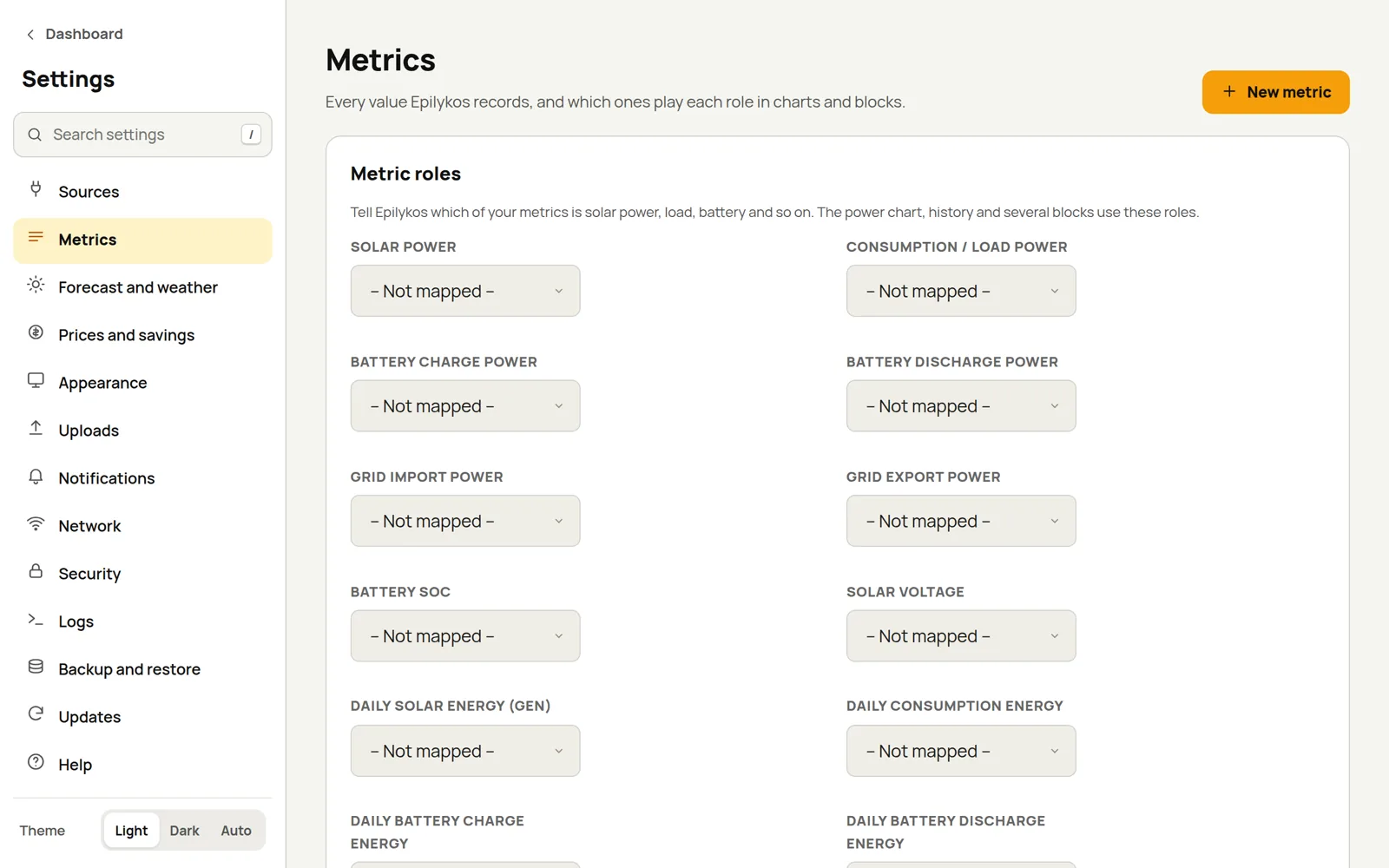
Core concepts lists every role with typical metric names.
Battery estimate
Some inverters have no link to the battery's BMS, so the battery percentage they show is only a guess based on voltage. If yours is one of them, Epilykos can keep a better count itself: it tracks the current flowing in and out of the battery through every inverter, and resets the charge to 100% each time the battery is full.
Switch on Count the battery's charge, then fill in:
| Field | What to enter |
|---|---|
| Type | The battery chemistry (LiFePO4 unless you choose otherwise). |
| System voltage | 12, 24 or 48 V. Epilykos tells you what your inverters report. |
| Capacity (Ah) | The whole bank, at the system voltage: two 200 Ah packs in parallel make 400 Ah. |
| Charge efficiency | How much of the charge actually stays in the battery, from 0.5 to 1. |
| Cells in series | Leave it empty to use the usual number for your voltage, or set it for other packs, such as 15 for some 48 V LiFePO4 batteries. |
| Battery current (+ while charging) | The metric with the battery current, positive while charging. |
| Battery voltage | The metric with the battery voltage. With more than one inverter, list them all, separated by commas, and they're averaged. |
Recognising a full battery: set Full at or above (V), With the current settled within (A) (meaning charging has tapered off to this or less) and For (minutes). When all three are true at once, the charge is reset to 100%.
Resetting at low voltage (optional): if the voltage drops to Low voltage at or below (V) while the load is light, the charge is set to Means a charge of (%).
You can also set the charge by hand. When the estimate first starts, it takes its starting point from the battery voltage. Switch on Use it as Battery % to have the estimate fill the battery SOC role in place of your inverter's own figure.
Combined metrics
Combined metrics let you add up readings from several inverters, MPPTs or batteries, or work out energy from power. Each result becomes a new metric that you can use in roles and on cards. Press Add combined metric and choose what to do:
| Calculation | What it does |
|---|---|
| Add up | Adds all the inputs together, for example PV1 + PV2 from each inverter. |
| Average | The average of the inputs. |
| Lowest / Highest | The lowest or highest of the inputs. |
| Subtract | The first input minus the others, for example load minus solar. |
| Multiply | Multiplies the inputs, for example voltage × current = power. |
| Weighted average | An average where each input counts by its weight, for example battery charge weighted by capacity. |
| Scale | One input × a factor + an offset, for example Wh to kWh with a factor of 0.001. |
| Energy today from power | The kWh so far today, worked out from a power reading. Starts again at midnight. |
| Lifetime energy from power | A kWh total that only ever goes up. You can give it a starting value to match a meter. |
| Today's increase of a counter | How much a lifetime counter (such as total kWh) has gone up since midnight. |
Sums and averages can be shown split into their parts on cards. Switch a combined metric off if you want it to stop being calculated.
If several BMS packs make up one battery, a battery bank is the
better fit; its bank_ metrics can be used here too.
All metrics
This list shows everything your sources and combined metrics report, newest first, with each one's current value, when it last changed and its unit. Metrics that haven't had a reading yet are at the bottom. Use the filter to find one, and if there are metrics you no longer use, select them and press Delete selected.
Last updated on