

Network and remote access
Home and away addresses, Tailscale, Cloudflare Tunnel and reverse proxies.
Notifications
Alerts and reports by push, Telegram, Discord, ntfy or webhook.
Security
The admin password and two-step sign-in.
Settings → Network is all about how you reach Epilykos, both at home and when you're out.
This box
This shows how the computer running Epilykos is connected. On EpilykosOS it also has a Wi-Fi section, for joining a different network (see Wi-Fi setup), and Dashboard address, where you can change the port to 80 or anything from 1024 to 65535. Epilykos restarts on the new port and the page follows it there.
App addresses
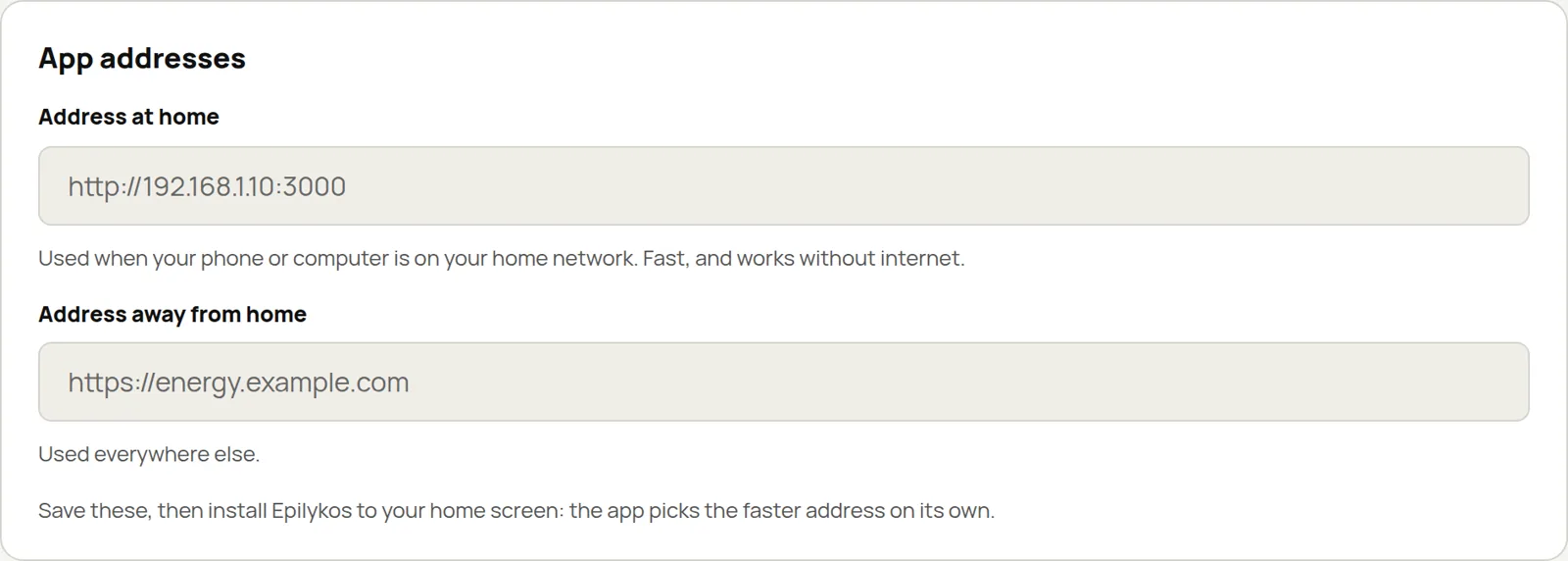
Address at home and Address away from home tell the installed app where to find Epilykos. See Install as an app.
Remote access with Tailscale
Tailscale gives you a private, secure address you can use from anywhere, without forwarding ports or setting up a reverse proxy. Under Remote access, press Connect with Tailscale.

Sign in at the link (or scan the QR code) with your own Tailscale account. Tailscale is free for personal use.
Press Create my address. You get an HTTPS address such as
https://epilykos.your-tailnet.ts.net that only devices signed in to your Tailscale account can open,
so install the Tailscale app on your phone and sign in with the same account. If HTTPS isn't switched
on for your Tailscale network yet, the card gives you a link to do it, which you only need once.
If Address away from home is empty, Epilykos fills it in with the new address, so the installed app switches to it automatically when you're out.
Open to the internet (off by default) uses Tailscale Funnel so that any browser can open the address, not just your own devices. That means anyone who finds it can reach your sign-in page, so Epilykos asks for your admin password first, and the password must be at least 12 characters long.
Under the hood, the Epilykos image includes the latest stable Tailscale. It only starts when you
switch remote access on, and it runs inside Epilykos itself, so you don't need to change the compose
file or grant any extra permissions. Its state is kept in data/tailscale/, which isn't part of the
database backups.
Turn off remote access signs this device out of your Tailscale network. Only a signed-in admin can switch remote access on.
Remote access with a Cloudflare Tunnel
If your domain is on Cloudflare, a tunnel gives you a public address on your own domain, again without opening any ports:
In Cloudflare Zero Trust, go to Networks → Tunnels and create a tunnel of type Cloudflared.
Copy the install command it shows you and paste it into Tunnel token or install command under
Cloudflare Tunnel. Pasting just the token (it starts with eyJ) works too.
Back in Cloudflare, under Public hostname, add your address (for example energy.example.com)
with the service set to HTTP and the URL localhost:3000. Enter the same address under Public
address in Epilykos, and press Connect tunnel.
Because the address can be reached from anywhere, connecting asks for your admin password, which must be at least 12 characters long. For an extra layer of protection, add Cloudflare Access to the hostname so visitors have to sign in to Cloudflare first.
cloudflared only runs inside Epilykos while the tunnel is on. The token is stored encrypted, handed
to cloudflared without appearing on its command line, and hidden in the logs and the diagnostics
file. Turn off tunnel stops it and forgets the token.
The Epilykos image is rebuilt every Monday, so Tailscale, cloudflared and the base system's security
fixes reach you even between Epilykos releases.
Reverse proxy
If you put Epilykos behind your own reverse proxy (Caddy, Nginx, Traefik or Cloudflare), make sure it
passes WebSocket connections through: that's how live updates reach the dashboard, on /ws.
your-domain.com {
    reverse_proxy localhost:3000 {
        header_up Upgrade {http.request.header.Upgrade}
        header_up Connection {http.request.header.Connection}
        flush_interval -1
    }
}
Behind Cloudflare's proxy (the orange cloud), WebSockets work on every plan. Just check that the record is proxied rather than DNS-only, and that no firewall rule blocks WebSocket traffic.
The installed app deliberately leaves /ws alone, so WebSocket connections always go straight to the
browser.
Last updated on